Room
a whole canvas of its own
A separate canvas for a project or area of work. Switching rooms saves the current canvas before opening the next.
Keep terminals, agents, changes, and notes together. See who needs you at a glance.
Keep a session, its diff, and its notes connected. The waiting pill counts explicit asks.
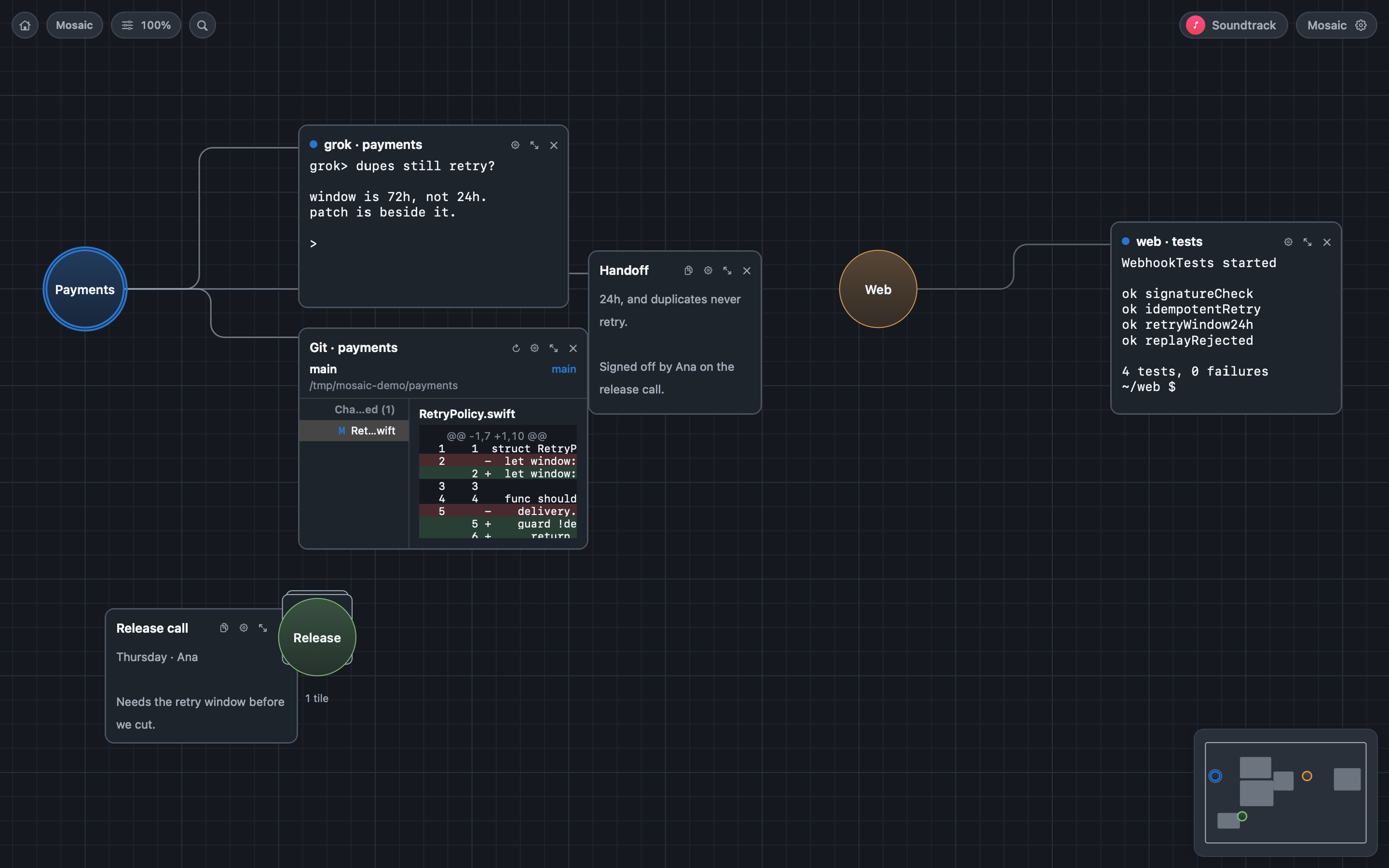
Connect related sessions, files, and notes to a named workspace hub. Fold a workspace when you need more room; its processes keep running.

Place terminals, agents, notes, web pages, Git diffs, files, and live views of other app windows on one canvas. Move and resize each tile to suit the work.
A separate canvas for a project or area of work. Switching rooms saves the current canvas before opening the next.
Group related tiles around a named hub. Bind a project folder, choose a color, and fit or fold the group. Drag a tile into the hub to add it.
Your individual tool. Use ⌘ plus a number to jump to a favorite tile. Double-click to maximize it; press Esc to return to the canvas.
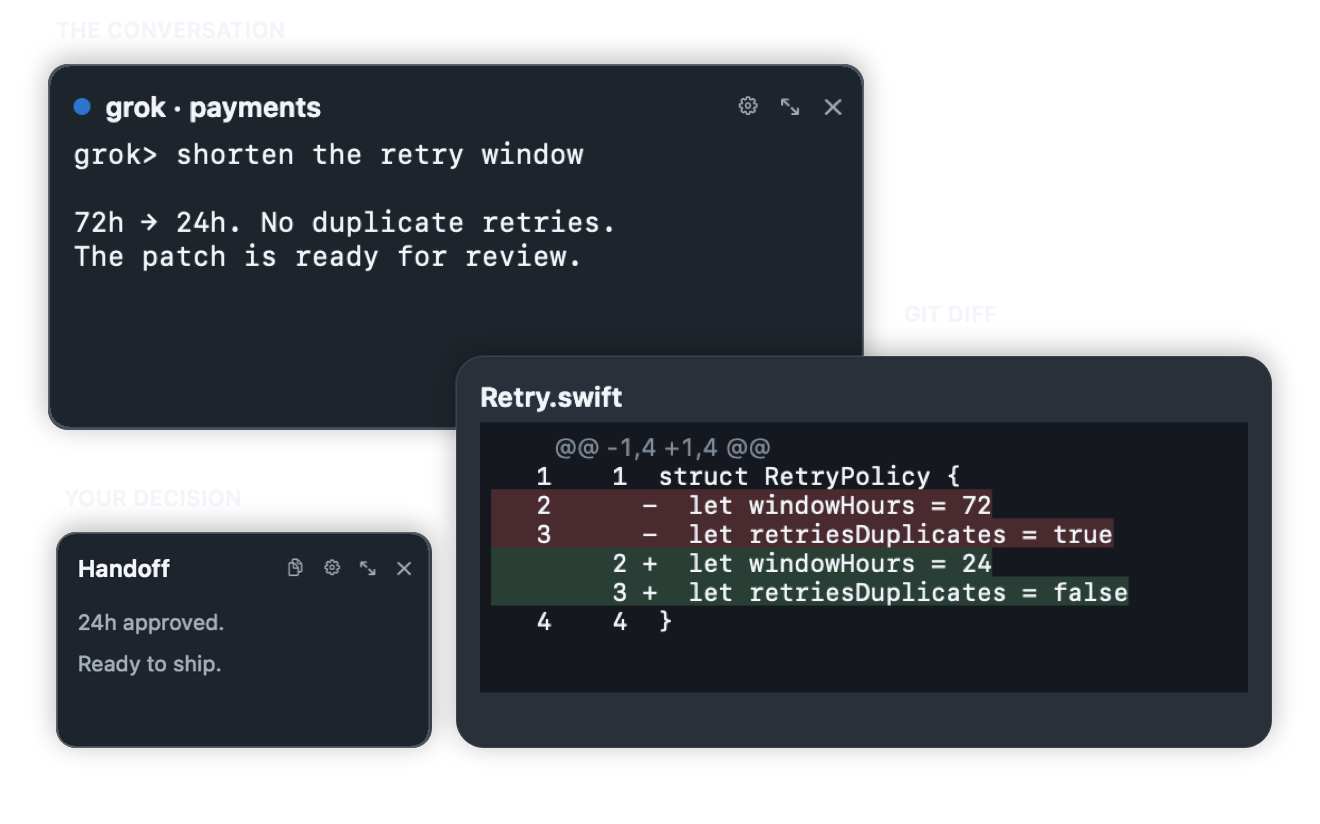
Review your agent’s changes in a Git diff beside the session. Keep the discussion in the terminal and the decision in a note, all within reach.
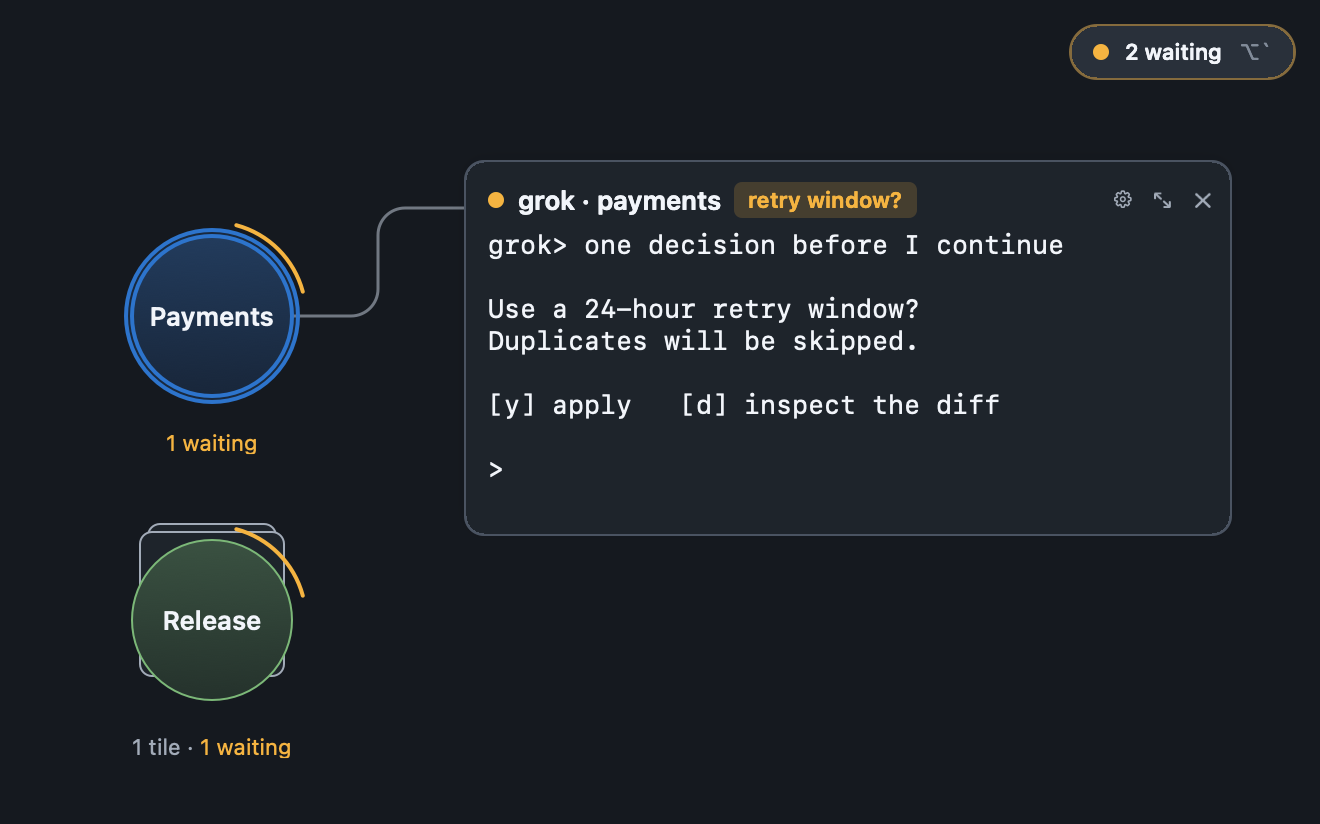
Find the sessions that need a reply. Mosaic uses process signals, terminal bells, and explicit agent reports through MCP to track activity. A running agent session stays running until it asks for attention.
Activity status reflects the current session. It resets when you restart Mosaic.
Success and failure badges clear when you focus the tile, or after five minutes.
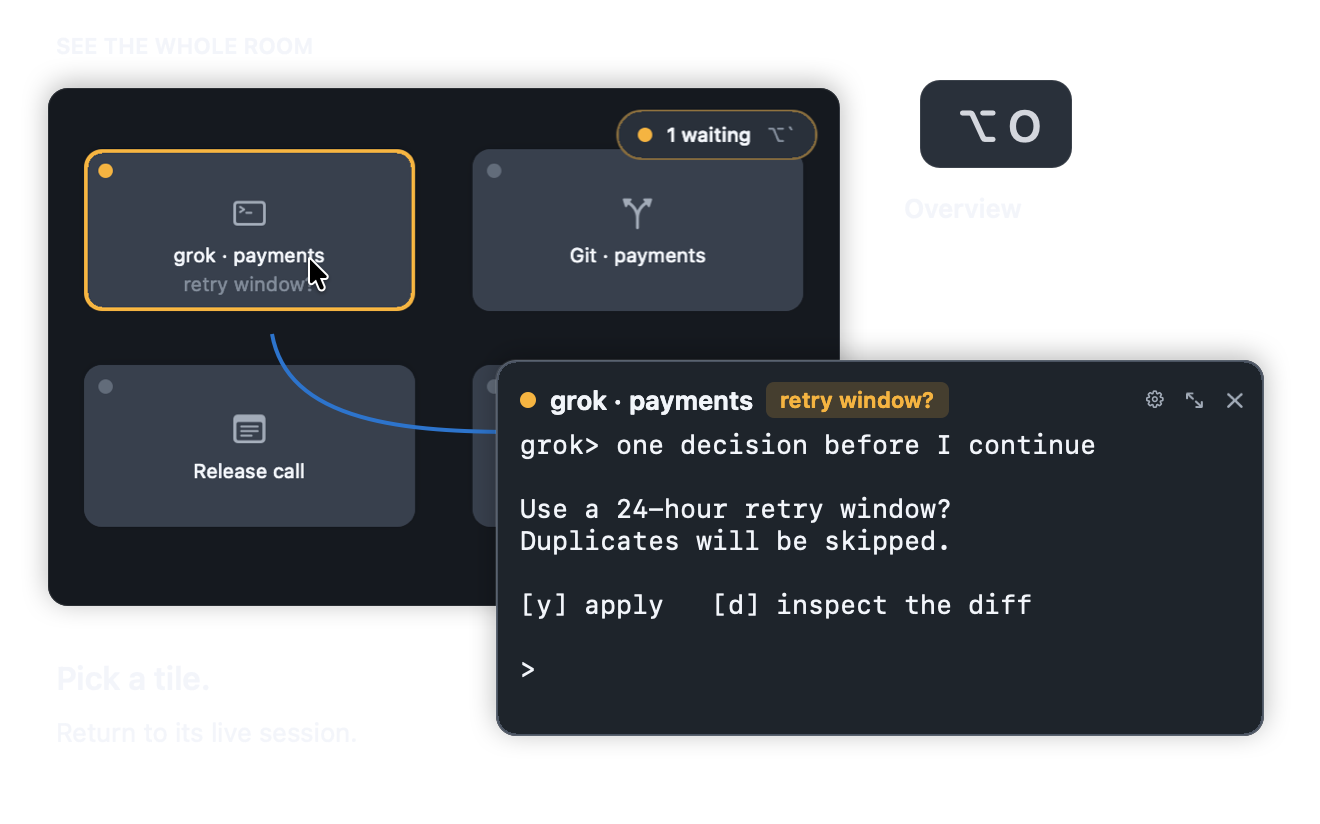
Press ⌥O for an overview. Pick a session to return to its place on the canvas. Hold the shortcut for a quick peek, then release to go back.
Connect an agent through Mosaic’s MCP bridge. It can inspect the workspace, create tiles, focus a session, and report when it needs your input.
Canvas edits appear immediately and use the same undo history as your own actions. Press ⌘Z to undo.
Run this from your Mosaic checkout. Keep the app open while using the bridge.
mosaic_overviewList rooms and workspaces with live tile countsmosaic_create_tileCreate a tile in a room or workspacemosaic_focus_tileMove the canvas to a tilemosaic_presentPresent a tile or focus a workspace hubmosaic_set_tile_statusReport waiting, succeeded, or failedmosaic_undo · redoUse the same undo history as ⌘ZEvery terminal tile runs a real PTY session. It keeps running when you switch rooms or close its view, and ends when you delete the tile.
Your rooms, workspaces, and notes live in a SQLite database on your Mac. No account or sync service required.
Choose an Apple Music album or playlist for Mosaic. Your soundtrack keeps playing as you move between rooms.
Built with AppKit and SwiftUI. Screen recording permission is requested only when you choose to view another app’s window in a tile.
Preview: Developer ID signed, not notarized. First open may need System Settings ▸ Privacy & Security ▸ Open Anyway. Requires macOS 15+ on Apple silicon. No account, no sync.